Scene Studio
Watch your video come together while Claude does the heavy editing.
$1.00 one time
- One-time purchase
- Lifetime updates
- Install video included
- Runs on your Mac
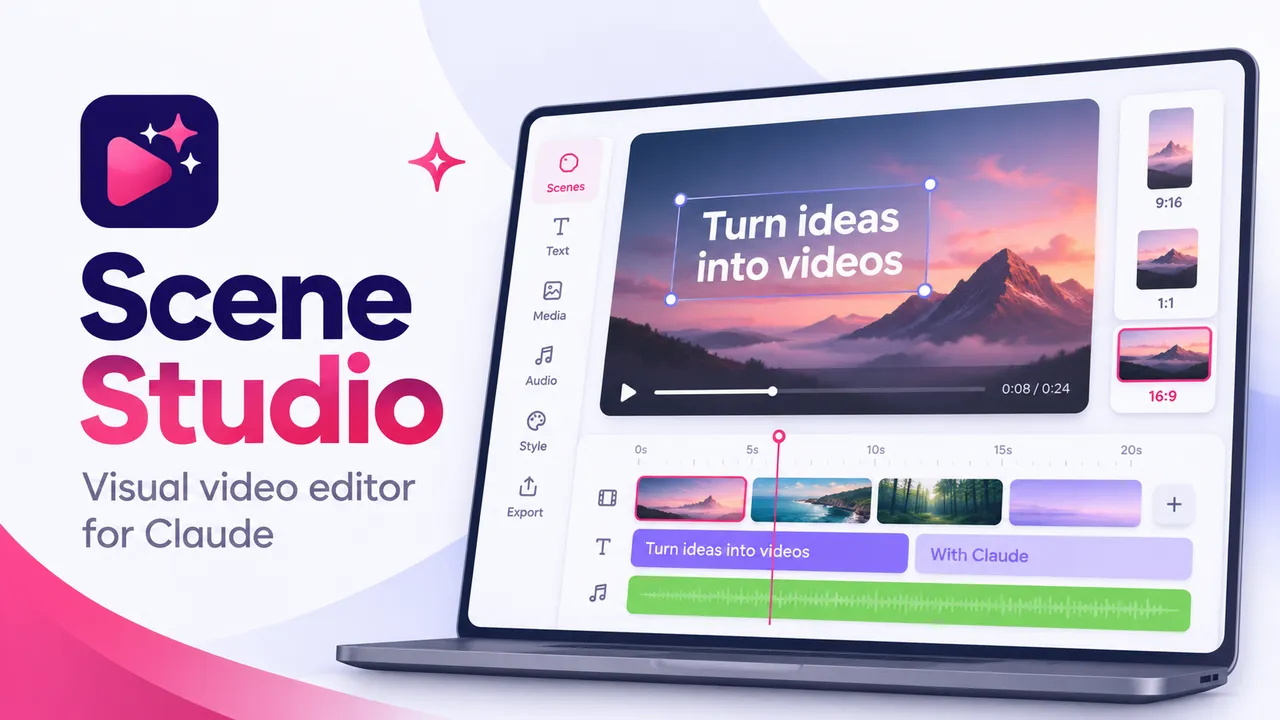
You and Claude, editing the same video
Scene Studio is a plug-in for the Claude desktop app. You watch your video, pin a note to the exact frame that's bugging you, and Claude handles the cutting, the graphics and the shorts.
You take the small stuff, like fixing a word in the captions or making a graphic a little smaller. Claude takes the creative and structural work: finding where your scenes break, building the graphics, cutting shorts and adding B-roll. The player updates as Claude works, so you watch your video come together instead of waiting on an export.
How it works
- Claude suggests your scenes
It marks where to split (at pauses, topic changes, and when you switch from camera to screen) and tells you why. You rename, split, merge and approve.
- Claude builds the graphics
Callouts, stat pills, flow diagrams, price tags and camera zooms, timed to the word you're saying, in your colors and fonts.
- You watch and leave notes
Press N and pin a note to the exact frame, like "make this card smaller" or "this lands too early."
- Claude works through your notes
It marks each one resolved with a line about what changed, and the player updates on its own.
- You export an MP4
When it's right, it's done.
Who it's for
Perfect if
You make screen tutorials or talking-head videos, and every editor you've tried felt like it needed film school.
Skip it if
You already love your video editor and know it inside out, or you're on Windows (it's built and tested on Mac).
How it works
Scene Studio is made for creators who want to put out more video and have been held back by editors that need a film degree to figure out. If you can follow instructions, you can set this up, and the install video walks you through every step.
I'll help you get it running
If you get stuck installing Scene Studio or it won't open, email me at kim@kimdoyal.com and I'll help you get it running.
Questions
What do I need to run Scene Studio?
A Mac and the Claude desktop app with Claude Code switched on. You don't need VS Code or any coding experience, and the install video walks you through the whole setup.
Does it work on Windows?
Scene Studio is built and tested on Mac. It hasn't been tested on Windows yet, so I can't promise it will work there.
Does it use my Claude usage?
The work Claude does, like finding your scenes, building graphics and cutting shorts, runs on your own Claude plan. The small edits you make yourself in Scene Studio, like fixing a word in a caption or resizing a graphic, don't use Claude at all.
What kinds of videos is it good for?
Screen tutorials and talking-head videos, plus anything that mixes the two. It's especially handy when you want to turn one long video into a handful of shorts.
What sizes can I export?
You can export an MP4 in 16:9 for YouTube, square, or 9:16 for Shorts, Reels and TikTok.
Is this a subscription?
No. You pay $47 once and get lifetime updates.
What if I get stuck?
Email me at kim@kimdoyal.com and I'll help you sort it out.